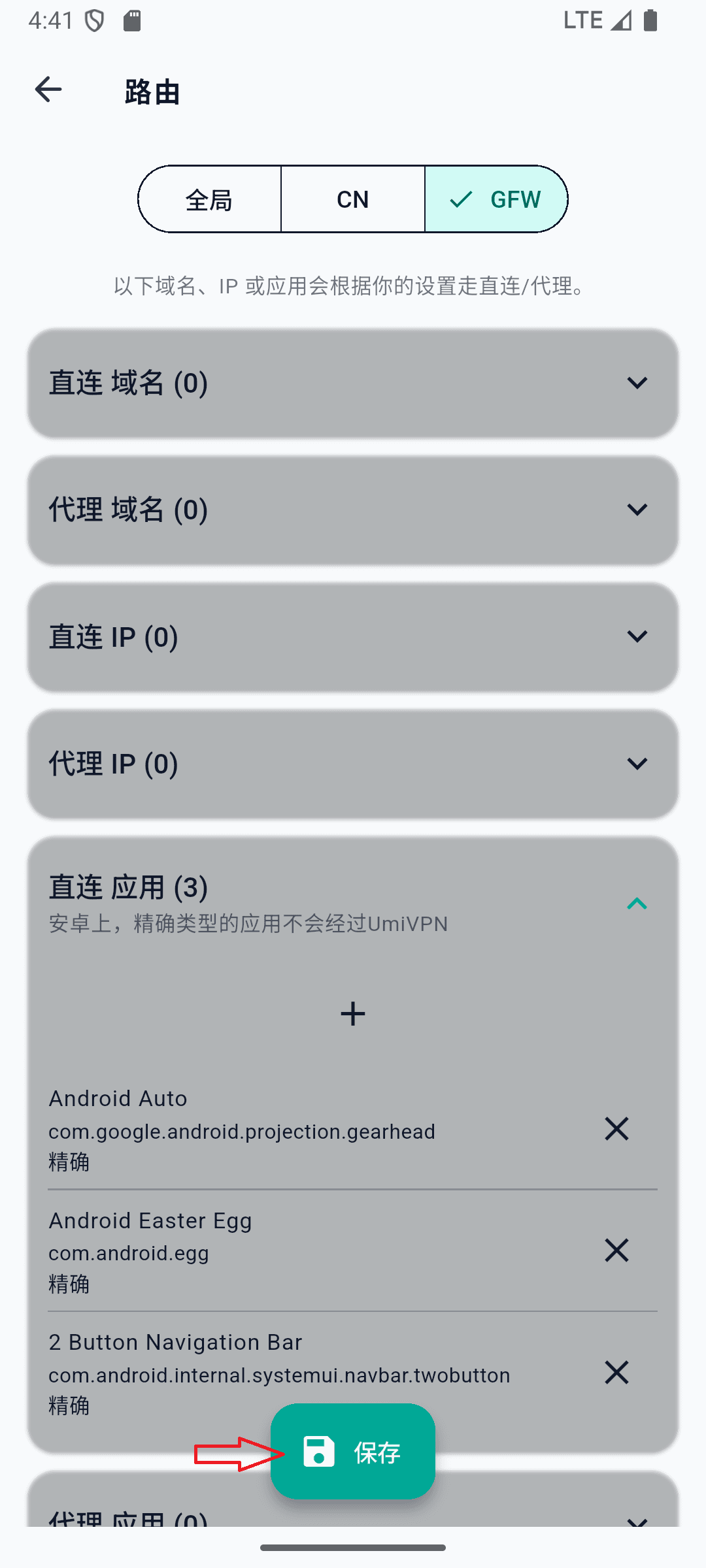
Add Direct Apps on Android
Apps in the Direct app set bypass UmiVPN (split tunnel). Add apps that do not need VPN protection for better performance and battery life.
Android only. Changes take effect after you save on the Routing page.
- 1
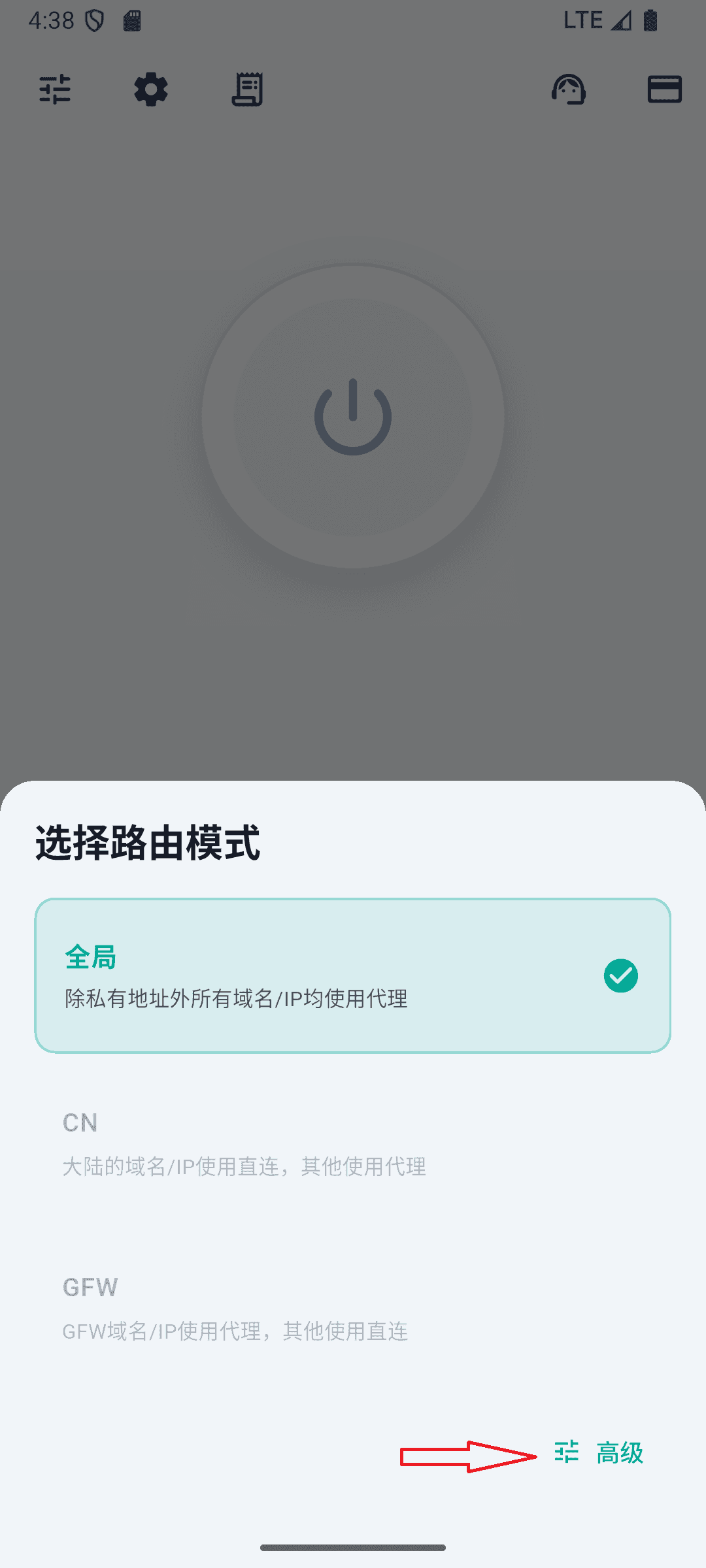
Open Advanced routing
On the home screen, tap the routing mode area to open the mode picker, then tap Advanced in the bottom-right corner.
- 2
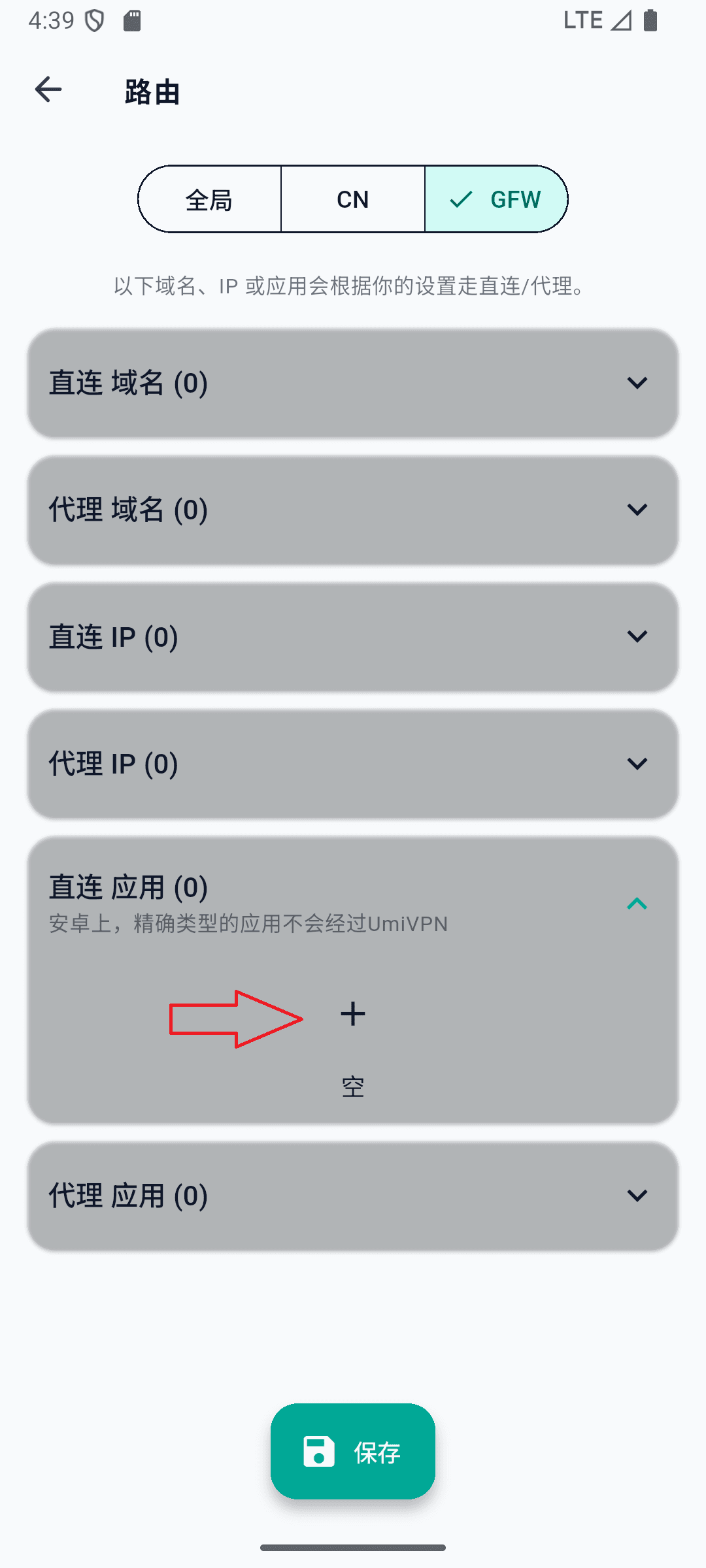
Open Direct Apps
On the Routing page, expand Direct Apps and tap the + button to add an app.
- 3
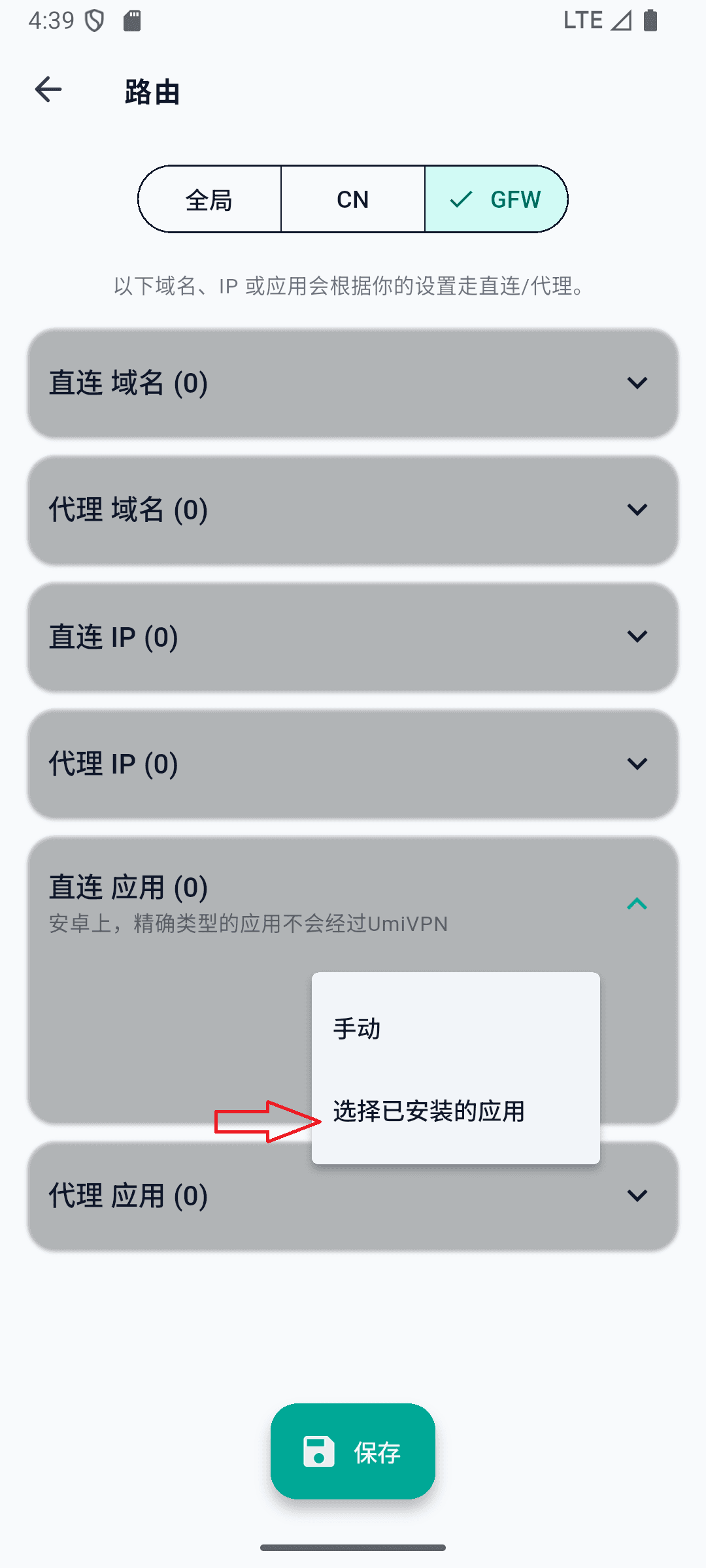
Choose installed apps
Tap Select installed apps from the menu.
- 4
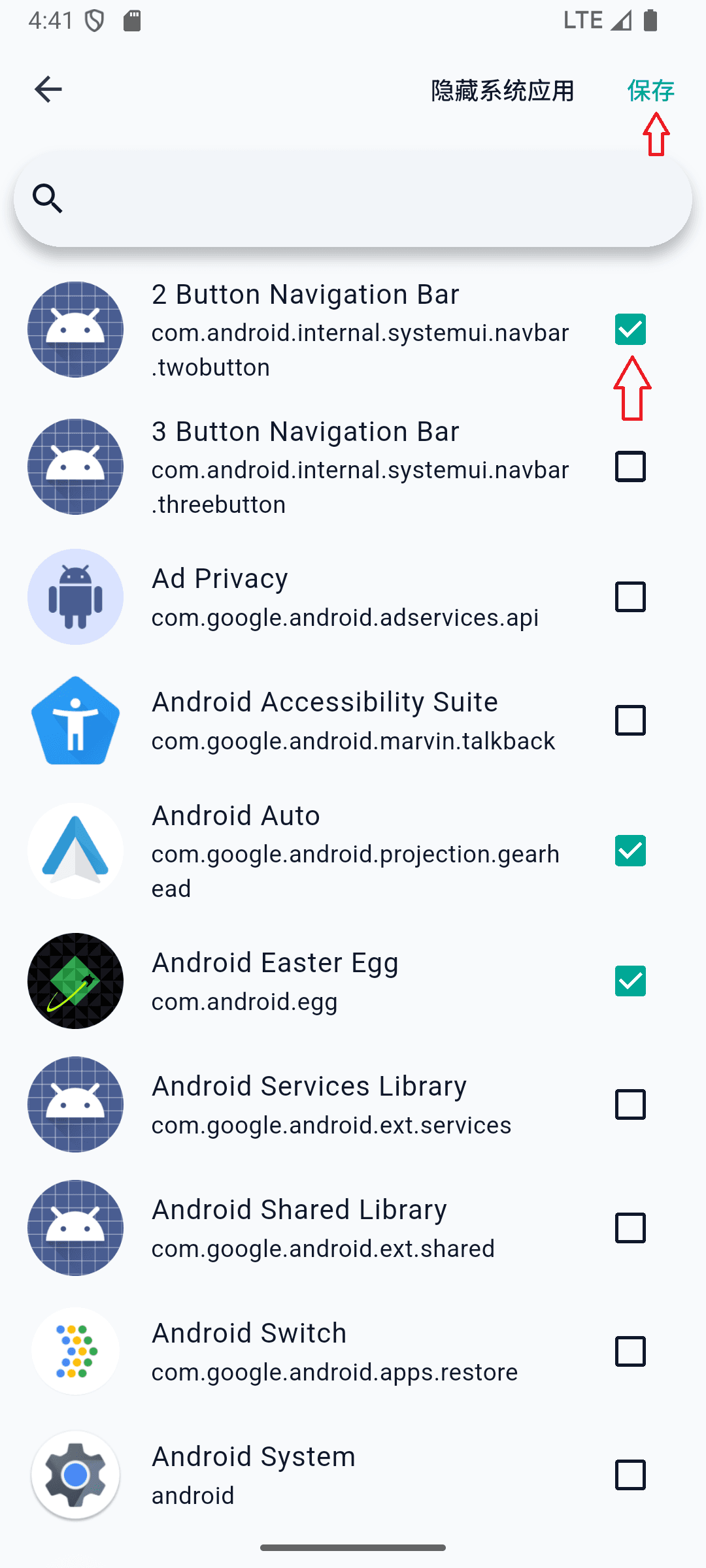
Select apps and save
Check the apps you want to bypass the VPN, then tap Save in the top-right corner.
- 5
Save routing rules
Return to the Routing page and tap Save at the bottom to apply your changes.