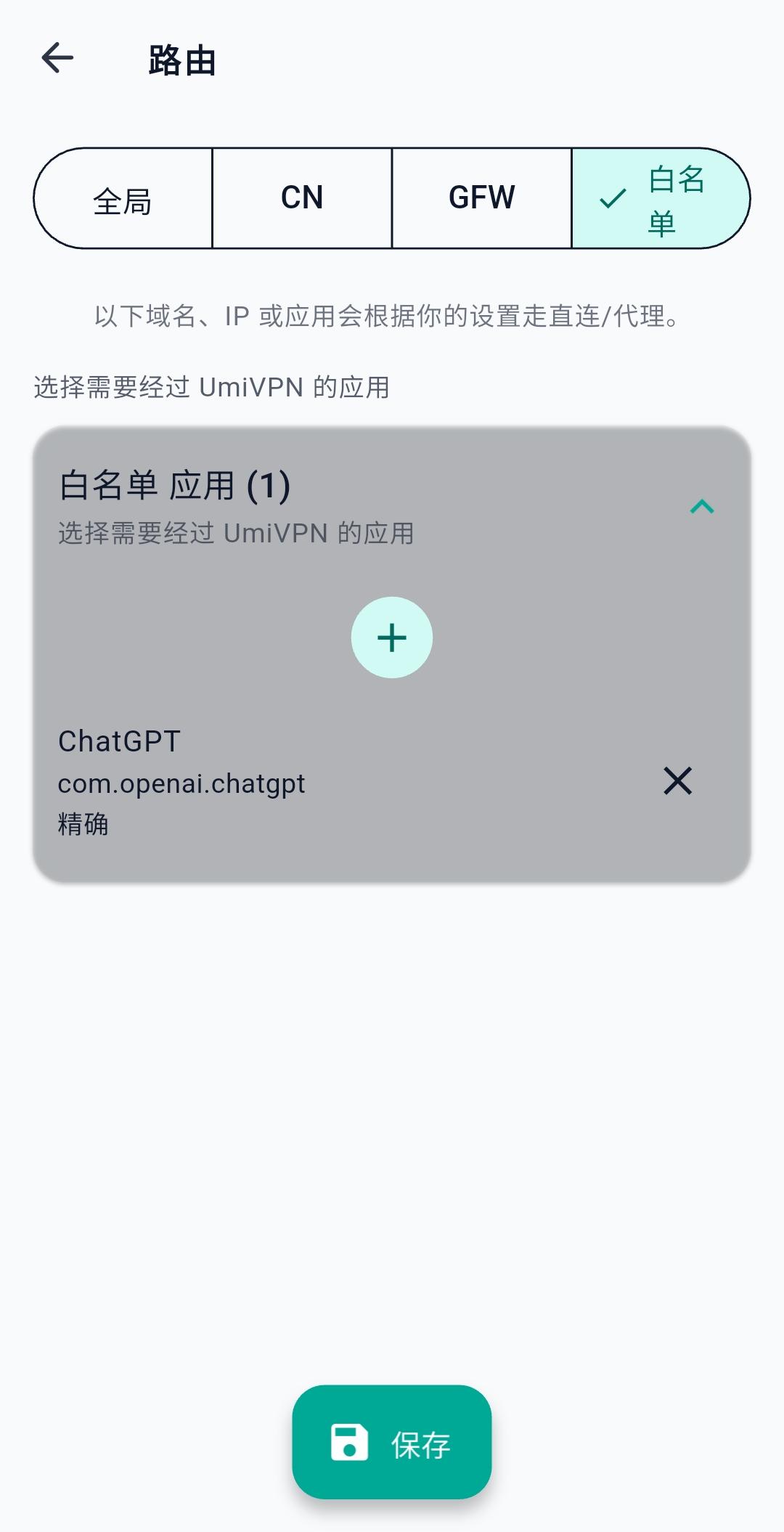
Add Whitelist Apps on Android
In Whitelist mode, only selected apps go through UmiVPN; all other apps stay direct. Add the apps that should use the VPN.
Android only. Changes take effect after you save on the Routing page.
- 1
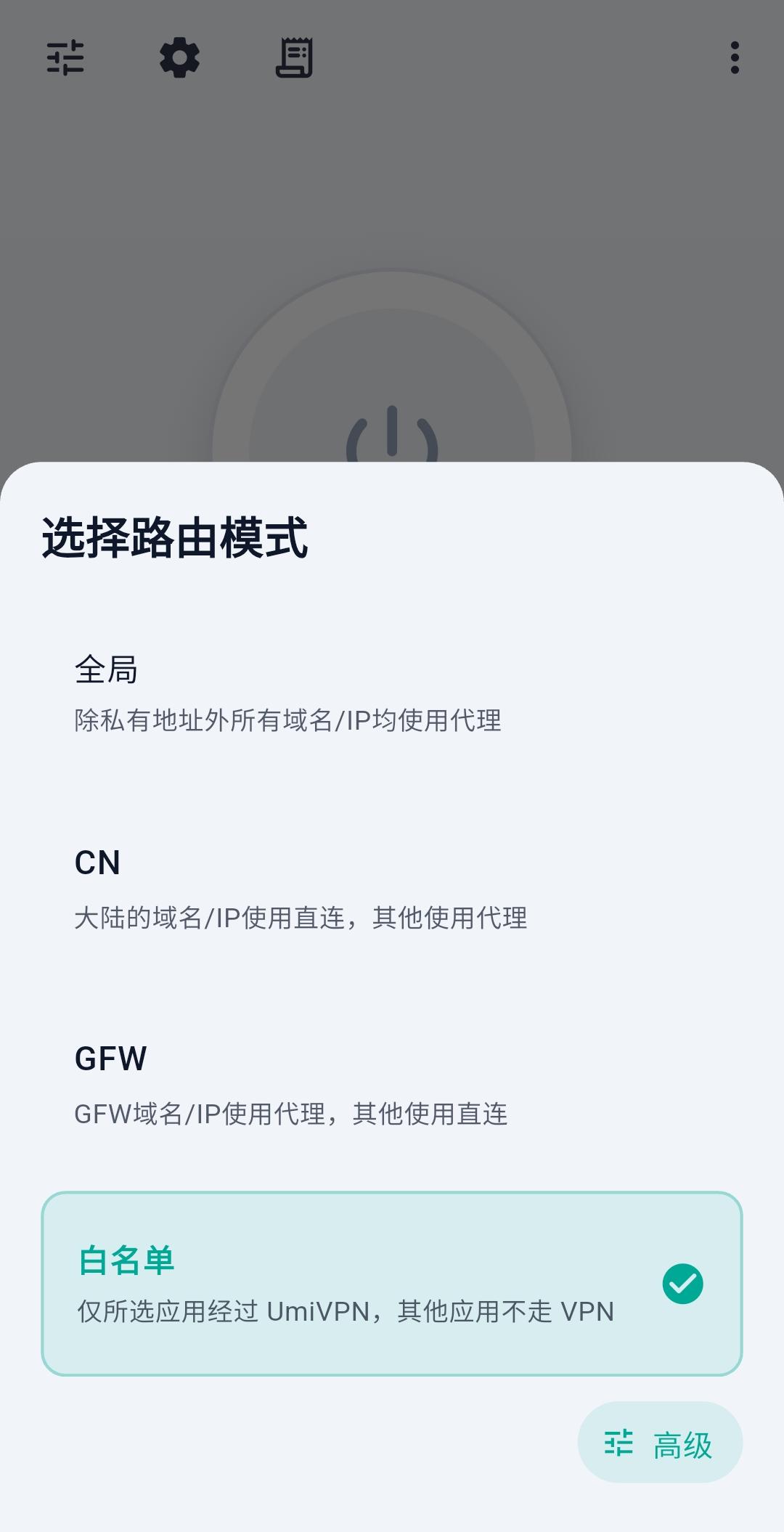
Open Advanced routing
Select Whitelist as the routing mode, then tap Advanced in the bottom-right corner.
- 2
Add apps and save
Tap + to add the apps that should go through UmiVPN, then tap Save at the bottom to apply your changes.